_REMINDER - Massive File Structure Changes
When you're making massive changes to the file structure, you should FIRST delete your notes in GitHub first and then publish everything at once.
Ole is a Rockstar
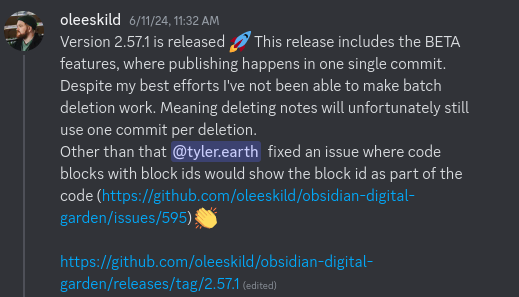
With update 2.57.1, publishing multiple pages occurs in one commit.[1] This saves a ton of time and means you're less likely to run up against your hosts limitations!
Reminder: Free software isn't free. Support developers: Buy Ole Eskild Steensen a Coffee - oleeskild - Ko-fi
But there's a catch.
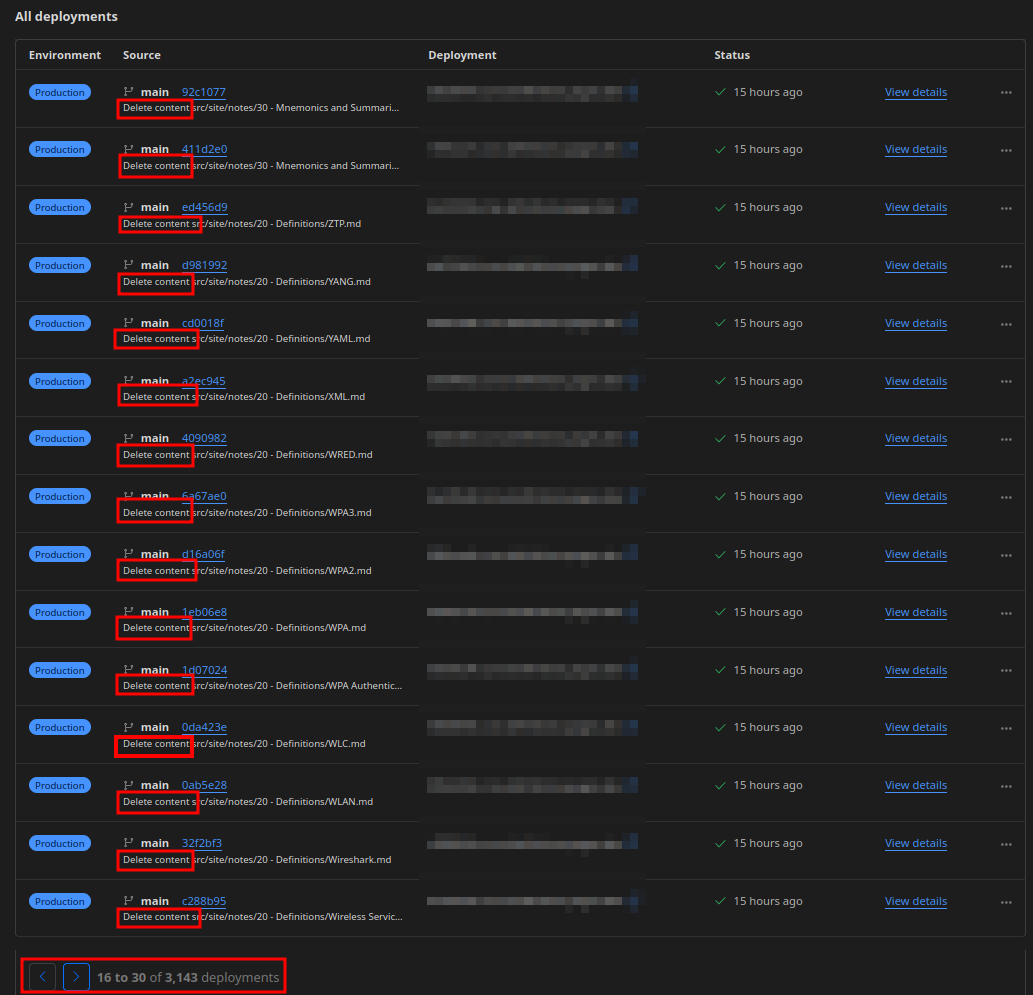
When notes are deleted, they are each deleted as individual commits; this means if you're moving dozens or hundreds of files, Digital Garden will have dozens or hundreds of commits to delete the files.
Ask me if this has happened to me before.
This can take a ton of time, not to mention running up against Build limitations (IIRC, Cloudflare's limit is 500 in a month). Therefore, it's both much easier and much faster to use something like GitHub Desktop to delete most of the content in /src/site/notes/, and then re-upload your entire vault.
Rough Outline
Here's a rough outline of what you need to do:
- Log in to the GitHub Desktop application and clone your Digital Garden repository.
- The default is usually in
Documents/GitHub/<name of the repository> - "Cloning" the repository makes a local copy on your computer. You can make changes, delete files, whatever you want, but it doesn't change the repository until you upload it through GitHub Desktop.
- GitHub Desktop also offers more control over files and versions, allowing you to revert changes, modify files en masse, etc.
- The default is usually in
- From the "Change" screen, click "Fetch" or "Pull Origin" to make sure your repository clone is up-to-date.
- Making changes to an outdated clone can cause merging issues.
- Click "Show in your File Manager" to browse the files on your computer.
- Using my Windows machine to make changes to this site, it opens a File Explorer window at
C:\Users\Max\Documents\GitHub\Wisdump
- Using my Windows machine to make changes to this site, it opens a File Explorer window at
- Go down the subfolders
src>site>notes- Here, you will be able to see all of pages that make up your site.
- Delete the folders or files you want to get rid of
- Basically, anything that isn't the
notes.11tydata.jsornotes.jsonfiles. - In my case, let's say I renamed "Recipes" to by "My Recipes"; I would delete the file
src/site/notes/Recipes/
- Basically, anything that isn't the
- Commit and Publish the changes from GitHub Desktop
- Name the commit, and give it a description if you like.
- Click "Commit to main", and then "Push origin"
- Publish!
- Digital Garden will compare the notes in GitHub and in your Vault and publish any additions or updates as a single commit.
- In my case, rather than deleting each file under "Recipes" individually, it would simply publish the new folder "My Recipes" in a single commit.
This happens whether you use the command/keyboard shortcut or the Publication Center ↩︎